Same architecture · zero compromise
Native iPhone & Android,
from one codebase.
The same emergency-alert flow you just used on the web — composer, roster, templates, send — running as a real native app on iOS and Android. One Flutter project, two App Store / Play Store binaries, zero JavaScript bridges. Built and working today.
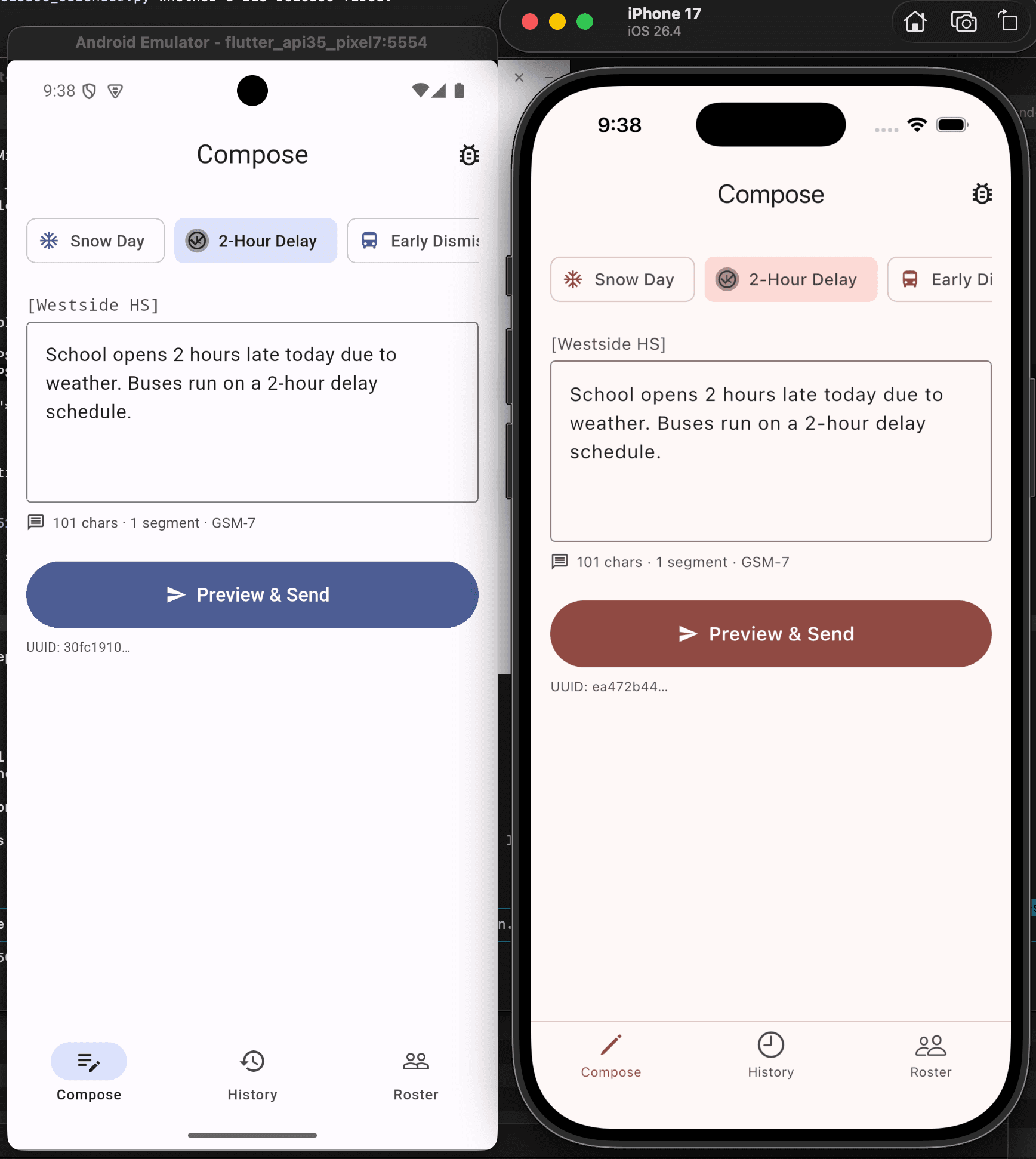
Android emulator (left) · iPhone 17 simulator (right) · same Dart source
Why Flutter
One codebase. Two platforms. No compromise.
A single Dart codebase compiles to two native binaries — a real .ipa for iOS and a real .apk for Android. No web wrapper, no bridge to native. The widgets you see are drawn by Flutter's own GPU-backed rendering pipeline, so a scroll on iPhone is as buttery as a scroll on a Pixel.
Platform-appropriate native widgets where it matters — Material 3 on Android, Cupertino on iOS. Notice the primary buttons in the screenshots: navy on Android, mahogany on iOS. Same code, platform-correct chrome.
The load-bearing logic is shared with the web demo — the GSM-7 vs UCS-2 segment counter, the idempotency UUID lifecycle, the "[Westside HS]" prefix, the per-recipient consent model — same architecture, same invariants, ported to Dart. If the spec is the truth, the truth runs in three places now.
Feature parity
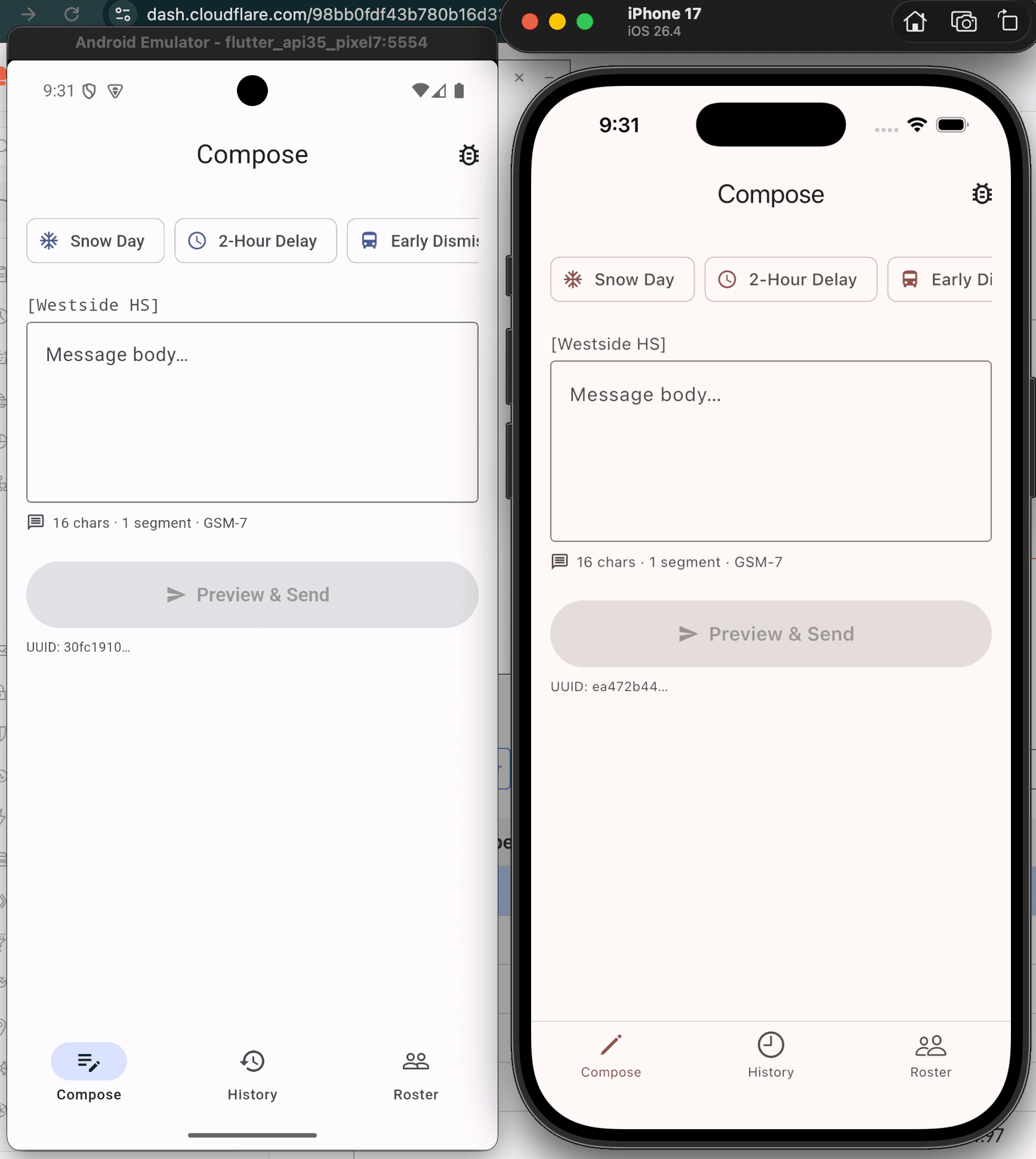
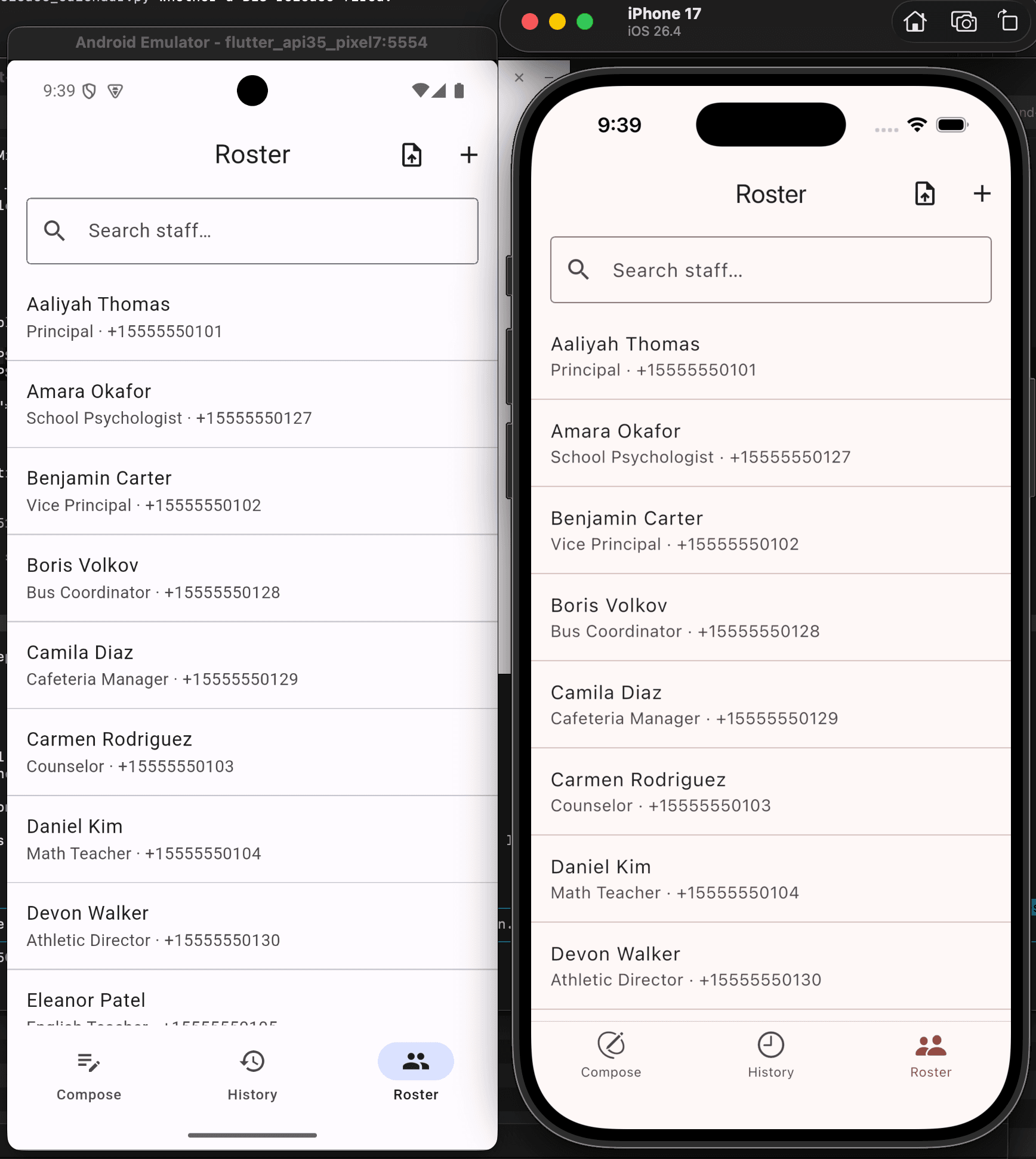
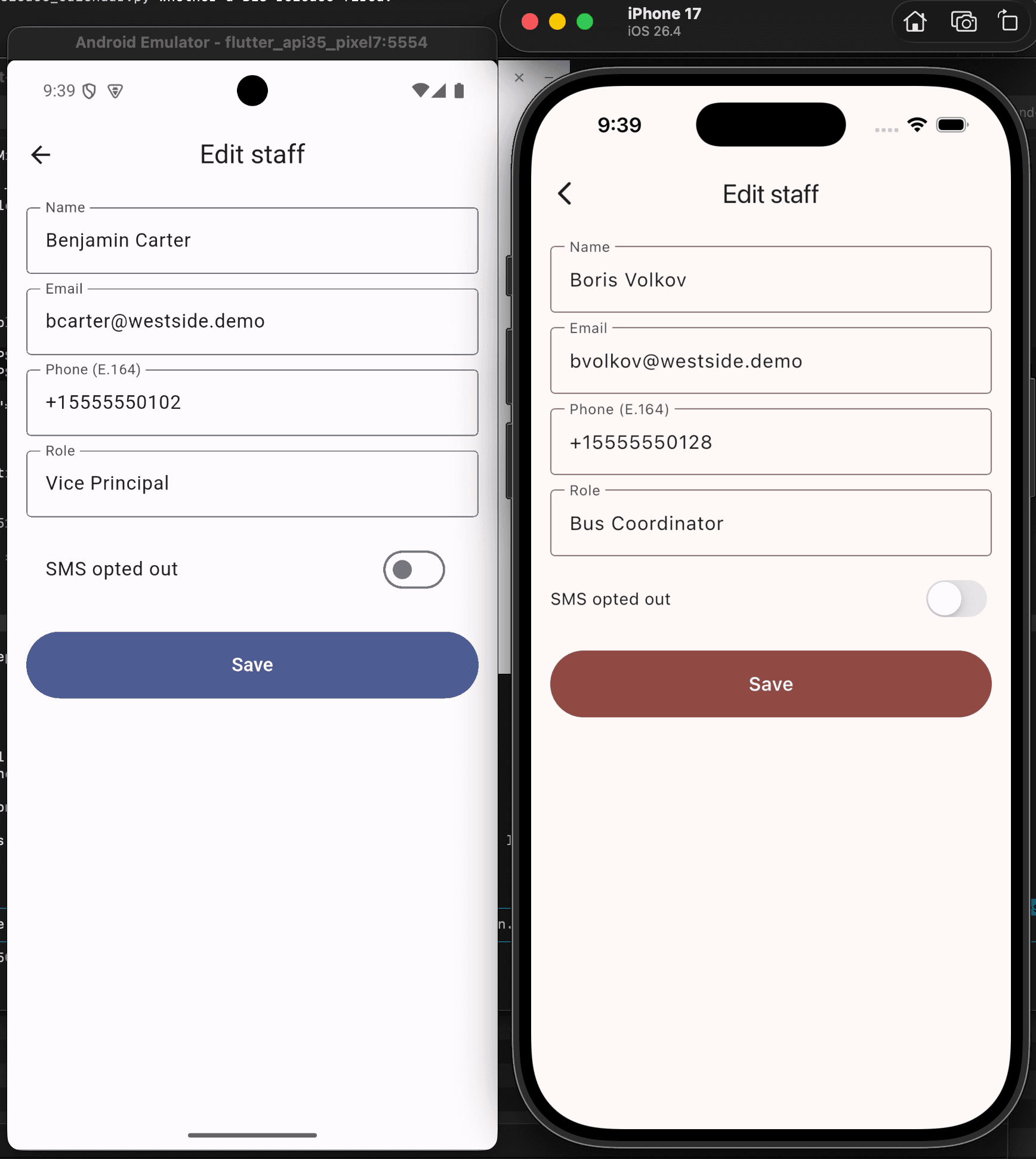
Every screen, both platforms.
Each shot is a single screen captured from both simulators at the same time. Side by side so you can see the parity in real time.
Under the hood
- Framework
- Flutter 3.x
- Language
- Dart
- iOS target
- 16+
- Android target
- 7.0+ (API 24)
- State
- Provider / Riverpod
- UI
- Material 3 + Cupertino
- Build output
- One .ipa, one .apk
- Shared logic
- Segments, UUID, prefix, consent